

Intro to Adobe Photoshop
$84.99 CAD
Instructor: Lori Dowhaniuk
Description
Bring out the best in your photos with fundamental photo editing techniques!
Adobe Photoshop is one of the top programs for editing photos and making digital art.
With this introductory class, you’ll be well on your way to mastering the tools that shape digital worlds.
Join us as you’re taught how to:
- Use the Photoshop interface (overview of menus, panels, and document window)
- Use the crop tool to trim edges, change the shape & size of a photo, straighten a crooked shoreline or horizon.
- Brighten a photo and make its colors more vibrant by using adjustment layers.
- Remove and replace the background of a photo
- Create a composite of two or more images
- Add text to images
- Remove unwanted content with the Spot Healing Brush tool and the Patch tool.
- Convert color to black and white, add an old-fashioned tint, and change the focus using the Tilt-Shift Blur filter.
- Apply a sharpen filter to give a photo a finishing touch.
- https://creativecloud.adobe.com/cc/learn/photoshop/web/photo-editor?locale=en-CA
PLEASE NOTE: Attendees are required to have a personal subscription for Adobe Photoshop available from https://www.adobe.com/ca/products/photoshop/plans.html
Offering 1F26: Wednesday, Nov 25, 2026, 6:00pm to 9:00pm, via Livestreaming
Instructed By: Lori Dowhaniuk
1 session
Additional information
| Offering: | Offering 1F26: Wednesday, Nov 25, 2026, 6:00pm to 9:00pm, via Livestreaming |
|---|
You may also like…
-
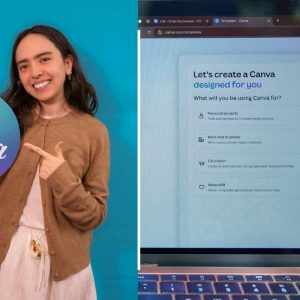
Canva Essentials
$84.99 CADSign up now This product has multiple variants. The options may be chosen on the product page -

Intro to PowerPoint
$84.99 CADSign up now This product has multiple variants. The options may be chosen on the product page -

Outlook Basics
$189.99 CADSign up now This product has multiple variants. The options may be chosen on the product page -

Photography Basics
$159.99 CADSign up now This product has multiple variants. The options may be chosen on the product page